CASE STUDY
TRANSLATING GAME DESIGN → PRODUCT DESIGN
Exploring how game progression principles can create a more engaging and intuitive career development experience.
DURATION
7 DAYS
SCOPE
CASE STUDY 7 MIN READ
TOOLS
Figma, Figma Make
01
Level UP
From Player Progression to Career Progression
Throughout my career in games, I’ve designed experiences that give players clear objectives, make progress visible, provide meaningful feedback, and communicate what comes next.
As a people leader, I saw an opportunity to apply those same principles to career development. While I worked to give my teams clear expectations and a path toward their next level, the tools we used often functioned primarily as documentation systems. Goals were easy to lose track of, progress was difficult to see, and meaningful career development relied heavily on managers creating their own processes outside the tool.
Applying game design progression principles to career development makes goals actionable, progress visible, and career growth easier to navigate.
PROBLEM
Employees want clear expectations, visible career paths, transparency around advancement and compensation, yet career development tools often function as systems for logging goals and evaluations rather than showing meaningful progress toward them.
hypothesis
Career-development tools could borrow from game progression systems to make objectives, milestones, progress, and next steps more visible throughout the employee journey.
design objectives
Create a career development experience that clearly communicates:
Where am I?
Where am I going?
What do I need to do next?
02
Brainstorm
Understanding Progression
How do games communicate where a player is, where they are going, and what they should do next?
Guidelines - See full exploration
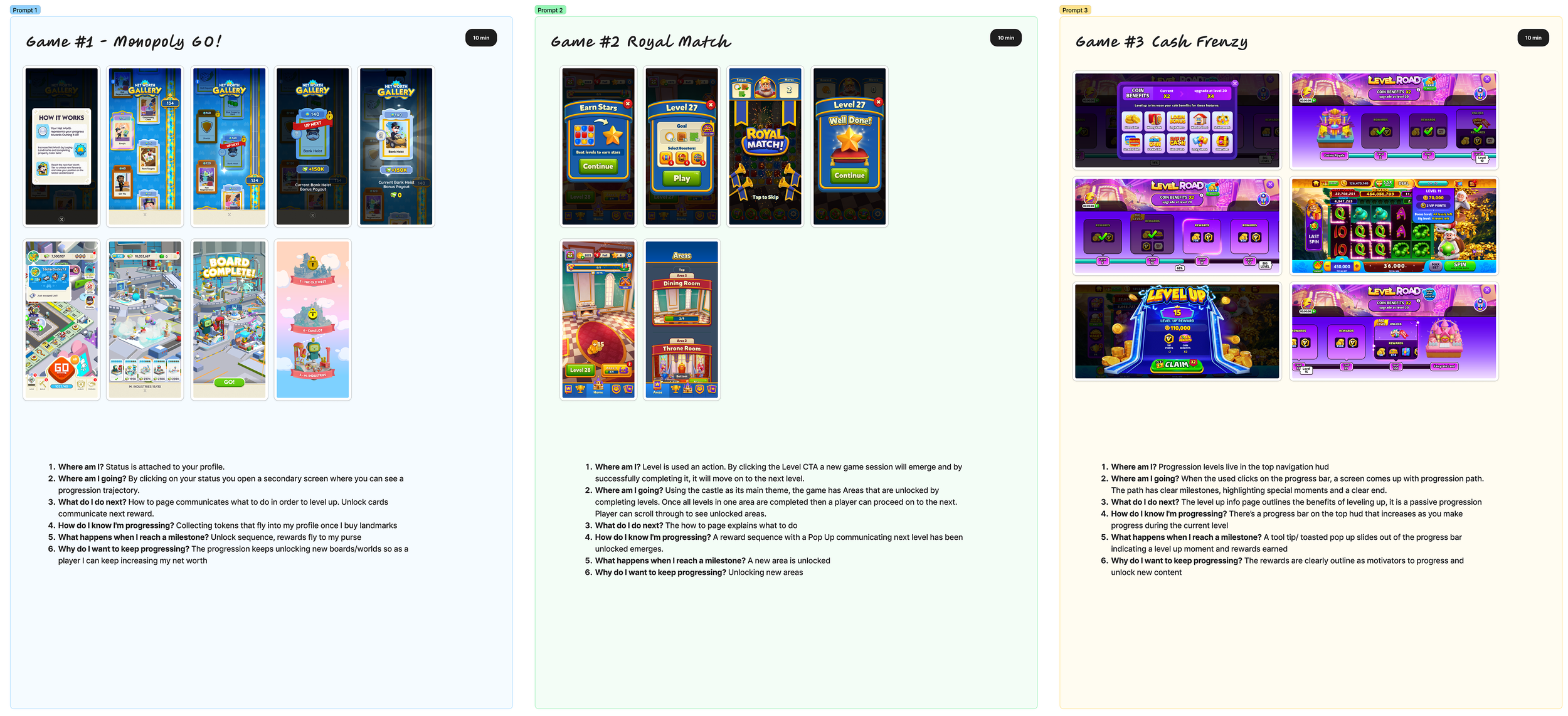
Pick 3 Games spend 30 Minutes understanding their progression systems, answer the following questions.
Where am I? How does the game communicate current status/progression?
Where am I going? How does it communicate the larger goal?
What do I do next? How are current objectives surfaced?
How do I know I'm progressing? Bars, milestones, completion states, feedback, etc.
What happens when I reach a milestone? What changes/unlocks?
Why do I want to keep progressing? What creates motivation?
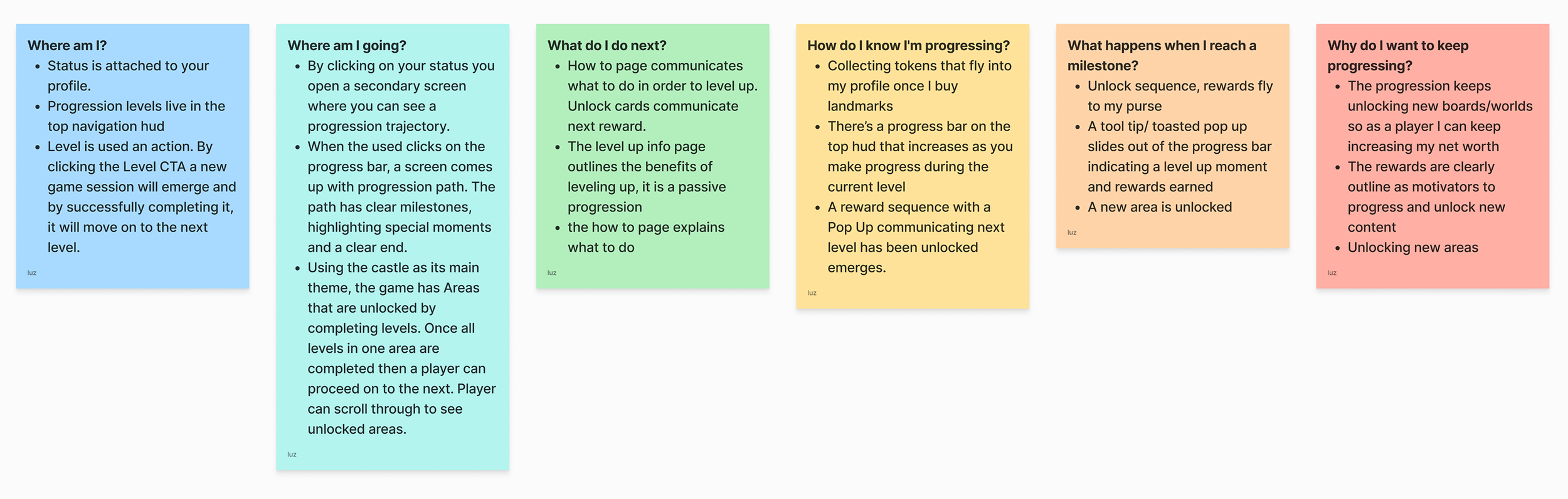
Findings → Design principles
What did these games teach me that I can transfer to career-development software?
ALWAYS SHOW ME WHERE I AM.
SHOW ME WHERE I AM GOING.
TELL ME WHAT TO DO NEXT.
MAKE PROGRESS VISIBLE.
MAKE MILESTONES MEANINGFUL.
03

CORE LOOP — Employee Progression
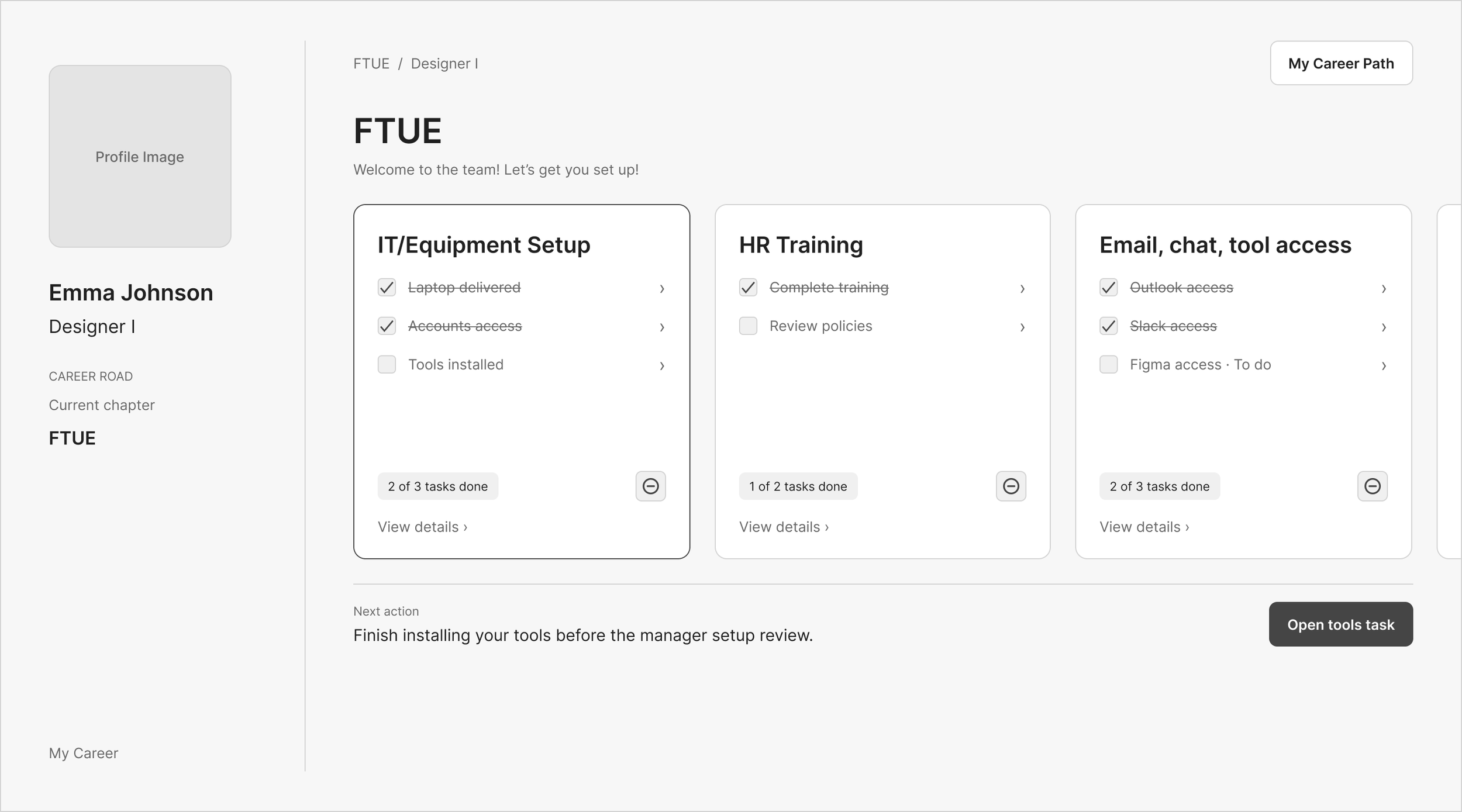
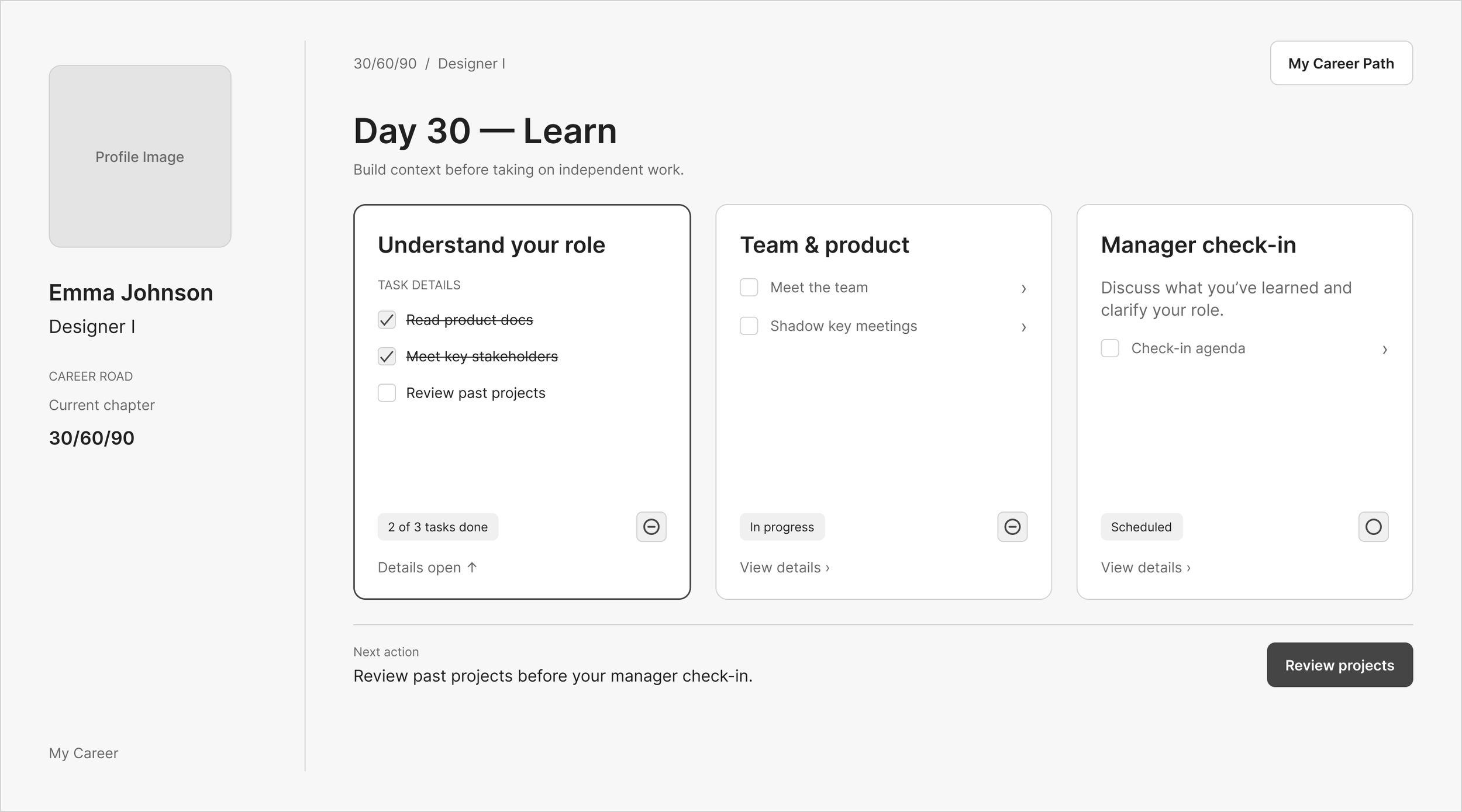
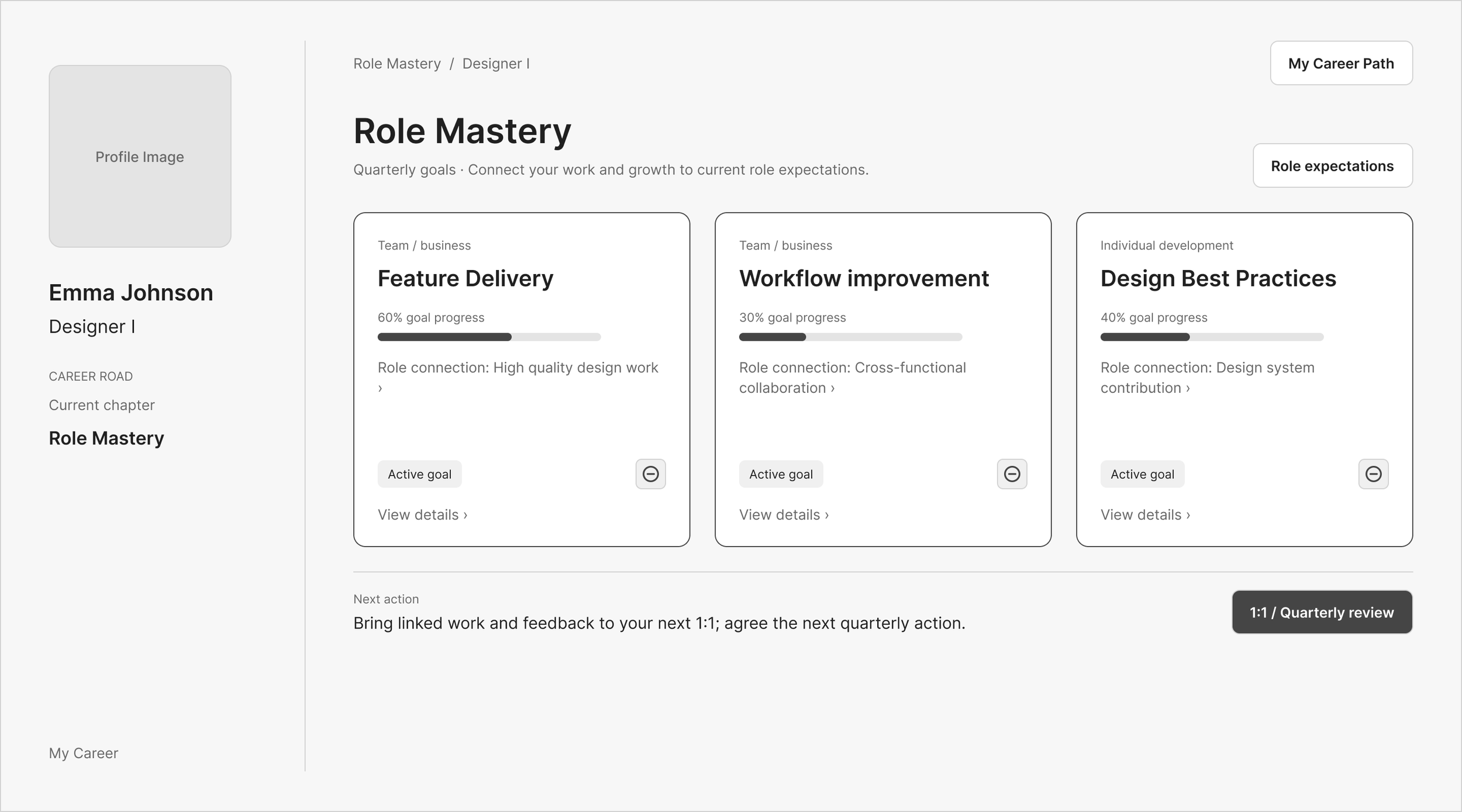
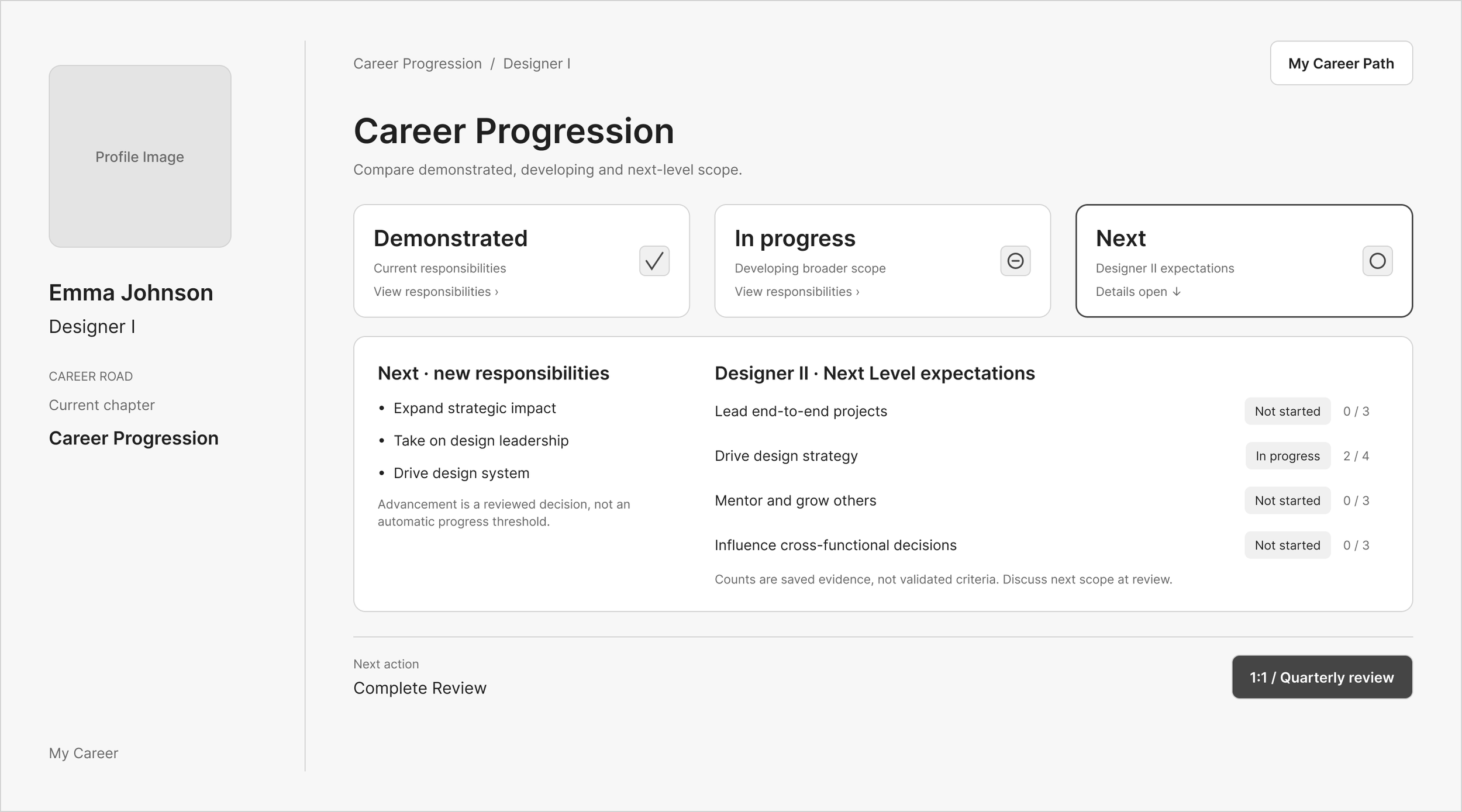
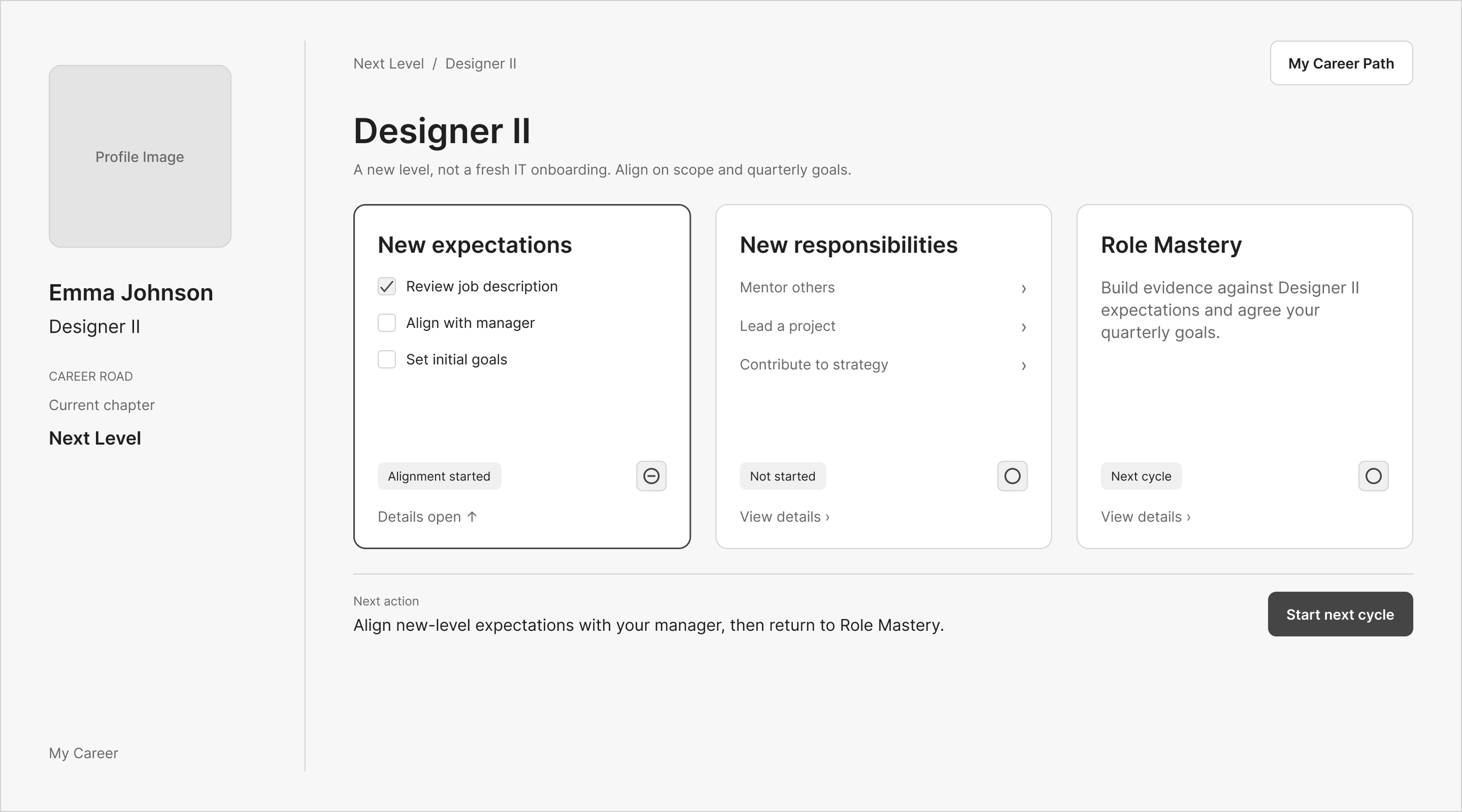
Day 1 – Get Set Up See full Figma flow
Complete essential onboarding tasks, gain access to tools, and connect with your team.
Milestone: Onboarding Complete → Begin First Project
30 / 60 / 90 – Learn, Contribute, Own
Progress through three stages: understand your role, contribute independently, and take ownership of meaningful work.
Milestone: Role Onboarding Complete → Role Mastery
Role Mastery – Succeed at Your Current Level
Demonstrate role expectations through measurable goals, real work, and ongoing feedback, with regular progress reviews.
Milestone: Quarterly / Mid-Year / End-of-Year Reviews
Career Progression – Prepare for What's Next
Track demonstrated competencies, identify development opportunities, and build evidence of readiness for advancement.
Milestone: Promotion to Next Role
Next Level – Begin a New Progression Cycle
Advance into a new role with new expectations, responsibilities, and opportunities for growth.
Milestone: Repeat Progression Cycle
04
Creative direction
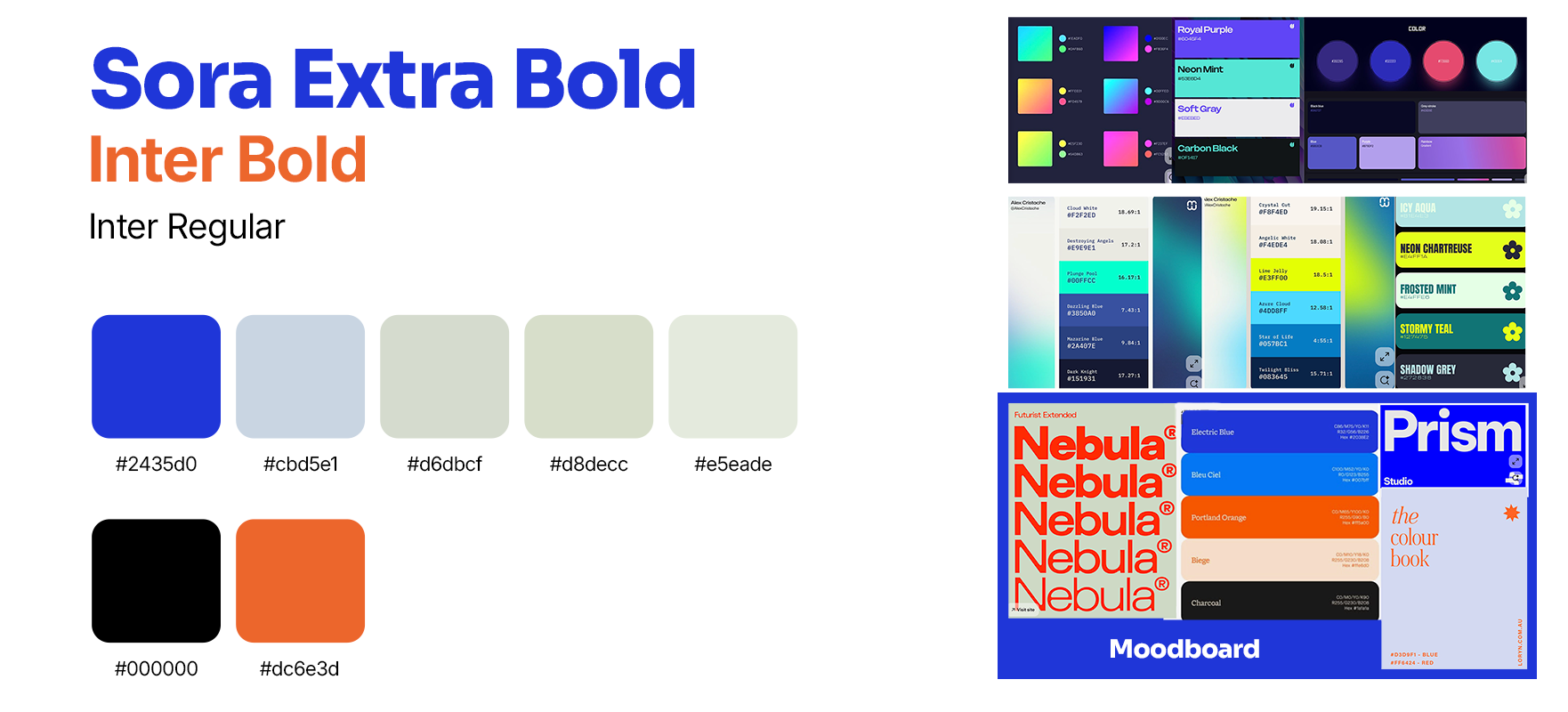
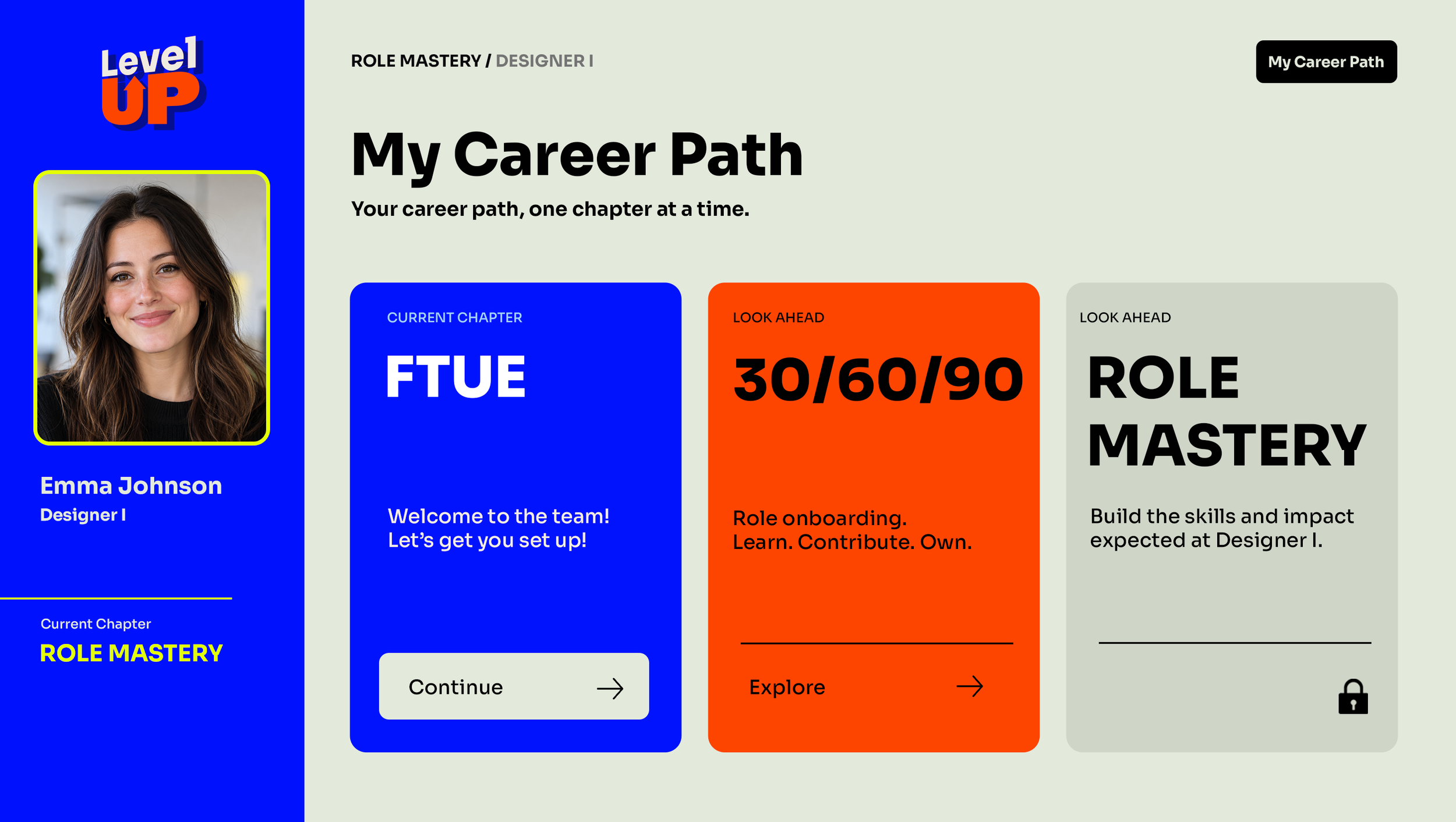
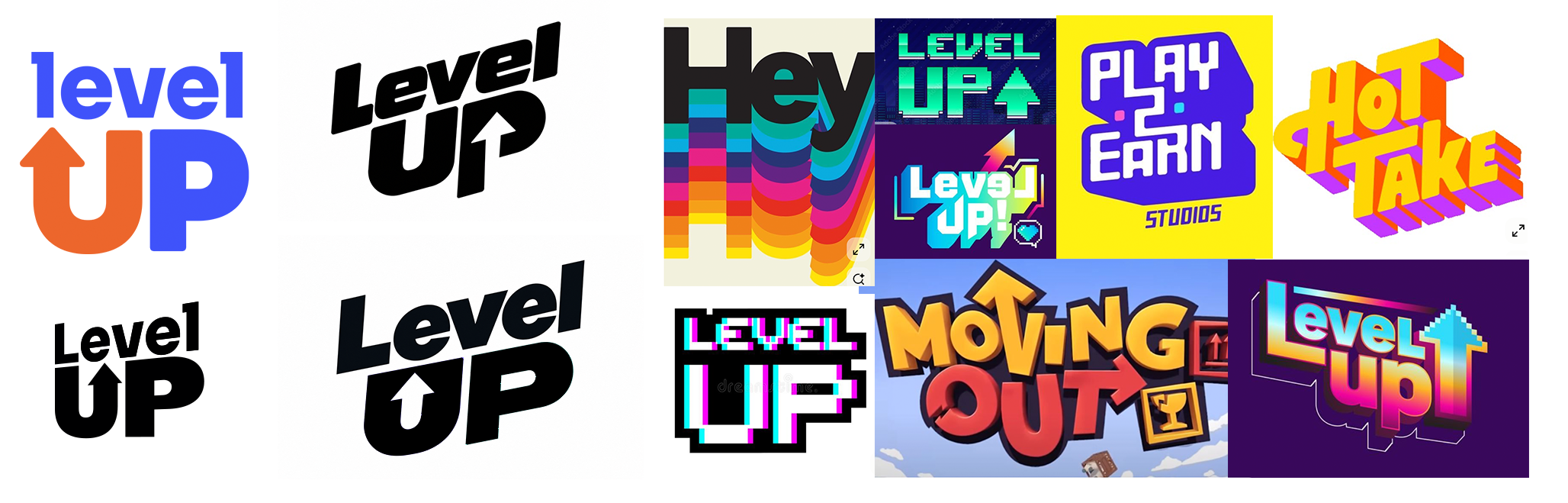
I wanted the visual identity to feel energetic and playful while maintaining the sophistication of a SaaS product. Inspired by game design, I balanced vibrant, high-contrast colors with softer, muted tones to establish clear visual hierarchy, guide attention, and emphasize key actions. The name Level UP bridges both worlds, leveling up in a game and progressing in your career, while the typography strikes a balance between professional and approachable.
Vibrant · Intentional · playful
05
AI-Workflows
My Design Process: Human-Directed, AI-Assisted
I approached Level Up by combining my background in game design and art direction with AI-assisted product design.
I started by translating game progression principles into a SaaS career-development concept, defining the product thesis, core features, and initial user flow.
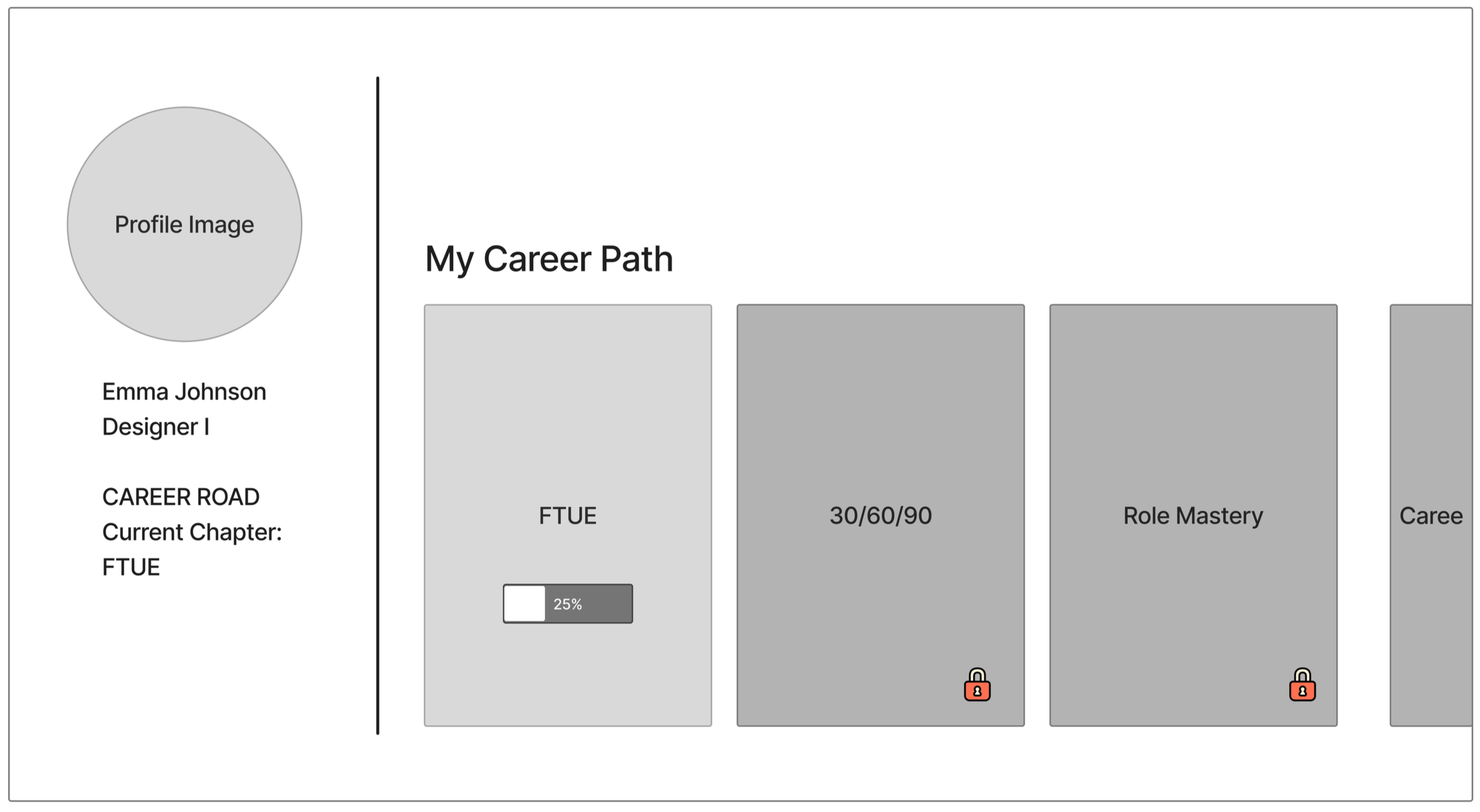
From there, I sketched ideas in FigJam and created a few foundational wireframes in Figma. I provided these, along with my product one-pager, to AI design agents to expand the experience into a complete user flow.
I then reviewed every screen, making UX adjustments, redlining layouts, refining interactions, and providing feedback until the experience aligned with my original vision.
Once the UX was established, I shifted into visual direction. I explored color palettes and typography, intentionally moving away from conventional tech aesthetics to create something vibrant, distinctive, and purposeful. I designed reference screens in Photoshop and used Figma Make to apply that visual direction across the prototype.
Throughout the process, I continued iterating, reviewing, and refining the output to maintain consistency and quality.
My role remained that of the designer and art director: establishing the vision, making creative and UX decisions, directing the agents, and approving the results. AI accelerated exploration and implementation, while I maintained creative ownership.

Process at a glance
01 — Define: Game design principles → SaaS product thesis and user flow
02 — Design: Sketches → Foundational wireframes
03 — Expand with AI: Agent-generated screens and flows based on my direction
04 — Review & Refine: UX critique → Redlines → Feedback → Iteration
05 — Art Direct: Color exploration → Typography → Photoshop reference designs
06 — Implement & Polish: AI-assisted prototyping → Visual refinement → Final interactions (in progress)
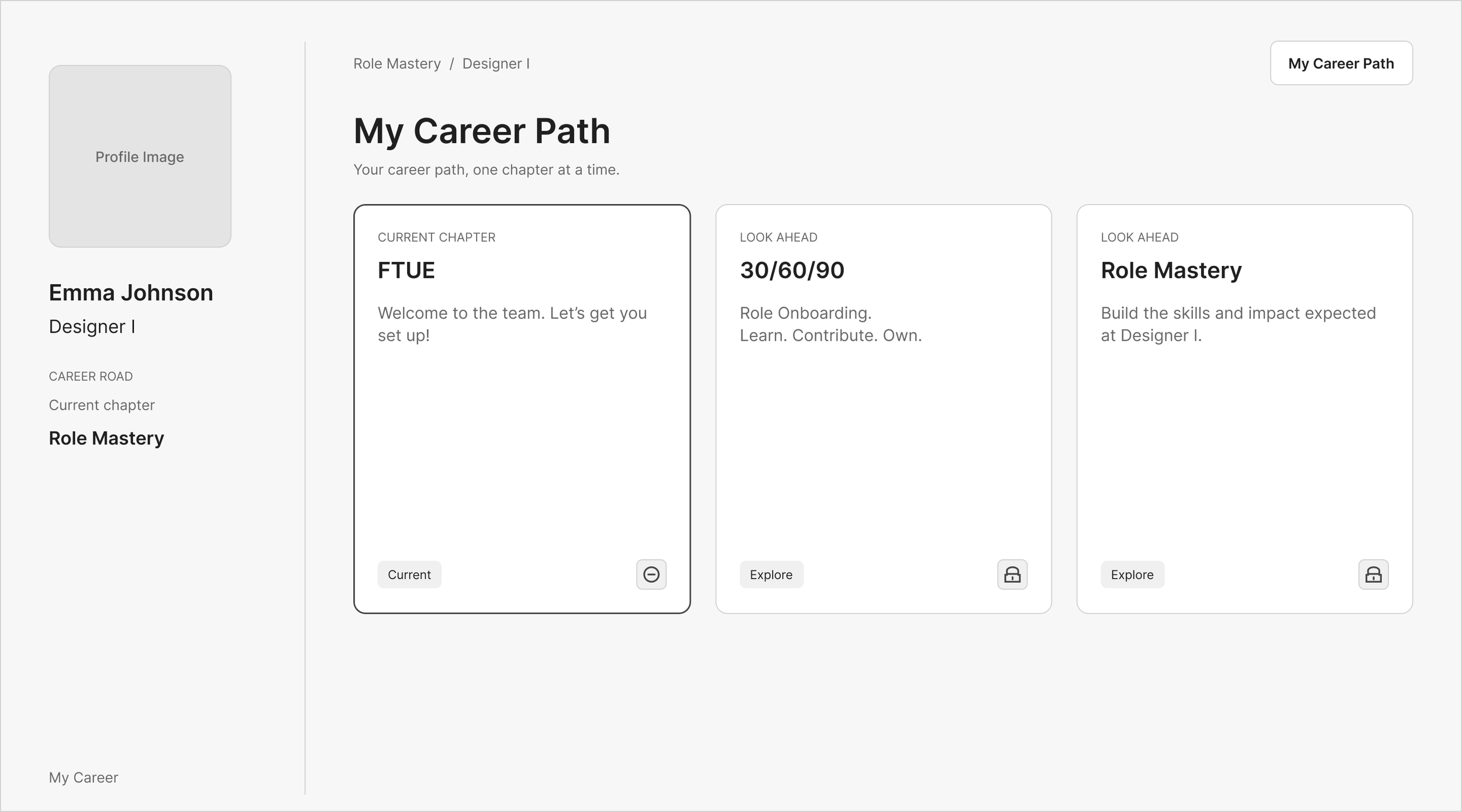
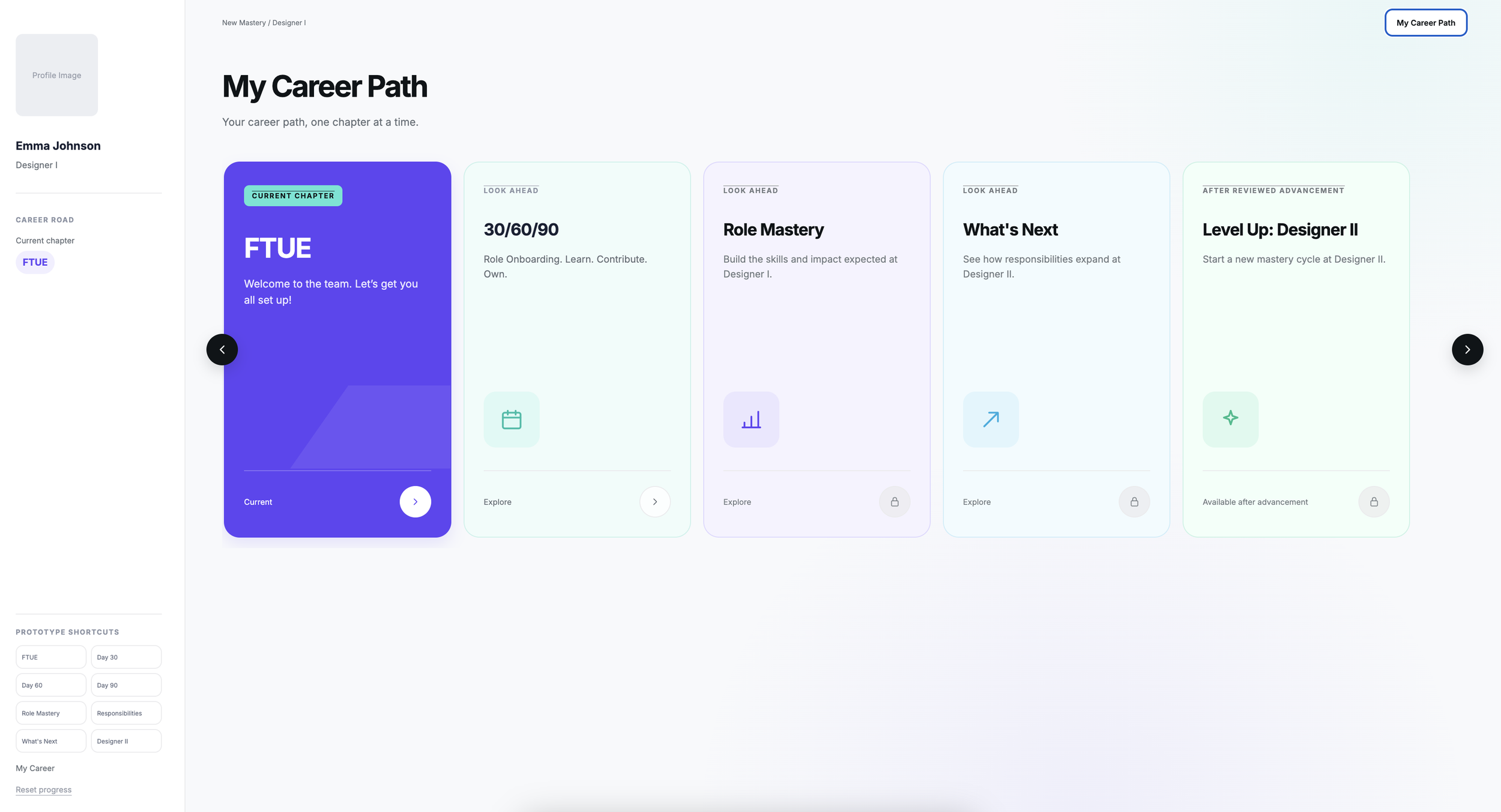
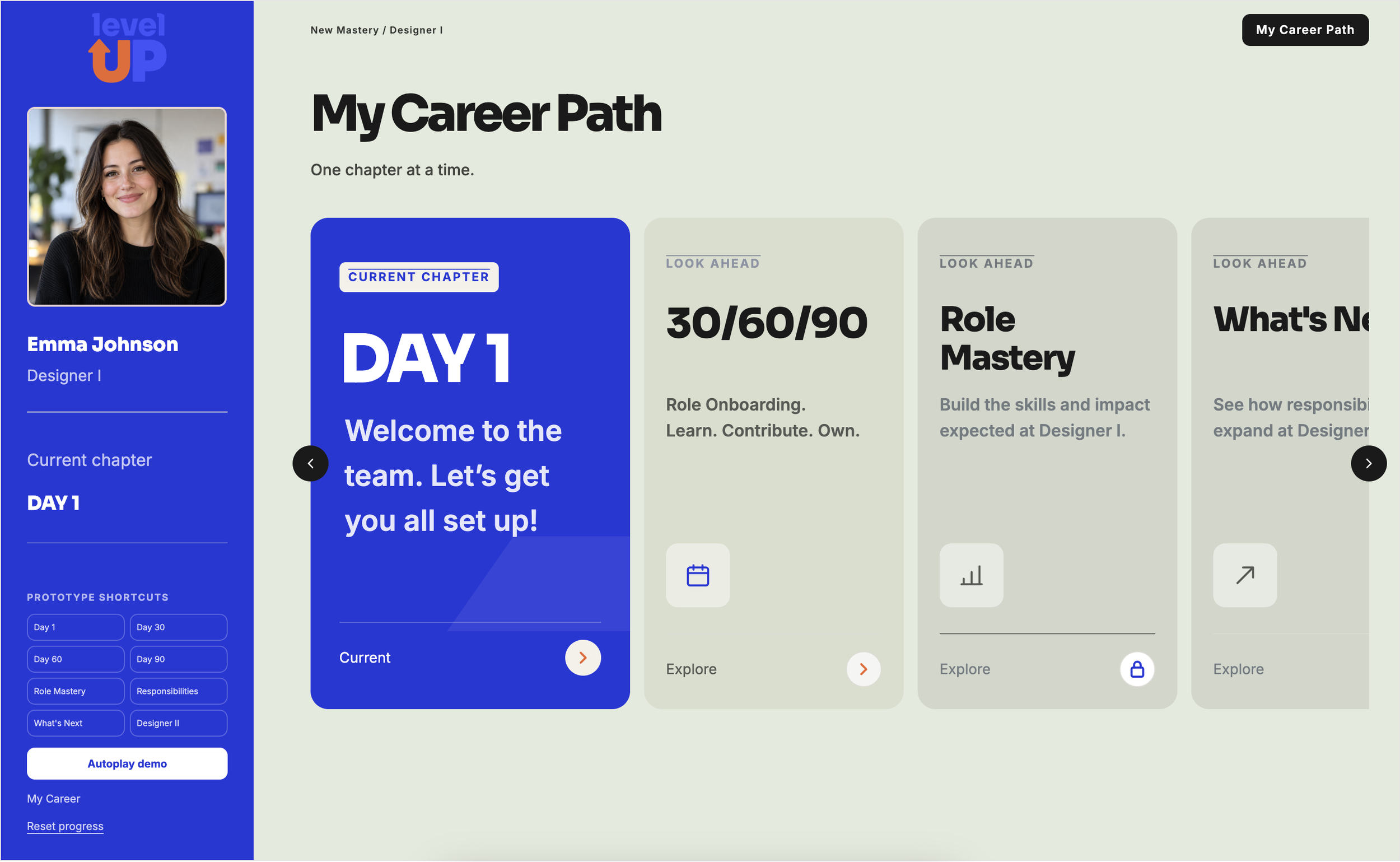
figma make Prototype
To test Figma’s AI agents, I provided my product thesis, design explorations, detailed write-ups, prompts, and moodboard references to guide the design process.
RESULT:
Conclusion
Level Up explores how game progression principles can translate beyond entertainment to make career development more intuitive, engaging, and rewarding. By introducing clear objectives, visible progress, milestones, and achievements, I wanted to reimagine career development as an experience employees actively engage with rather than a passive HR process.
This project also gave me the opportunity to explore AI-assisted design workflows, accelerating the journey from concept to interactive prototype. While AI agents helped generate ideas and execute designs, achieving a cohesive experience still required continuous creative direction, feedback, and refinement.
My biggest takeaway is that both game design and AI have applications far beyond their traditional uses.
Game design can bring clarity and motivation to everyday experiences, while AI can accelerate the creative process without replacing the judgment, intention, and direction of the designer.